
Single sign-on for enterprise workspaces and a faster API gateway.
Added
- Workspace admins can now export the audit log as CSV.
- New
X-Request-Idheader on every API response to simplify support requests. - Single sign-on (SAML 2.0)Read more
Enterprise workspaces can now sign in with their company identity provider instead of a Palowise password.
Single sign-on lets your IT team manage access to Palowise from the same place they manage every other business application. When someone joins your company they get access automatically, and when they leave, access is removed the moment their account is disabled.
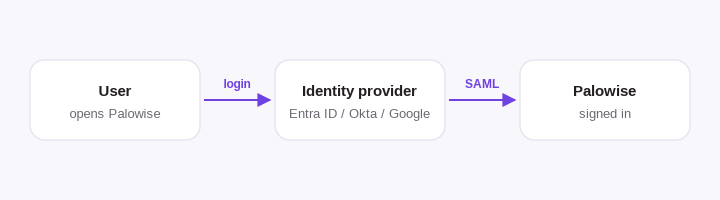
Supported identity providers
Provider Protocol Just-in-time provisioning Microsoft Entra ID (Azure AD) SAML 2.0 Yes Okta SAML 2.0 Yes Google Workspace SAML 2.0 Yes Any SAML 2.0 provider SAML 2.0 Yes How to set it up
- Go to Settings → Security → Single sign-on (workspace Owner role required).
- Copy the ACS URL and Entity ID into your identity provider.
- Upload the metadata XML from your identity provider, or paste its URL.
- Click Test connection and sign in with a test account.
- When the test passes, switch Enforce SSO on.
Keep at least one Owner able to sign in with a password until you have confirmed SSO works for everyone.
Attribute mapping
Palowise reads these attributes from the SAML response:
email        (required)  user.mail
first_name   (optional)  user.givenname
last_name    (optional)  user.surname
role         (optional)  owner | editor | viewer
If
roleis not sent, new users join as Viewer.Good to know
- Existing users are matched by email address, so nobody loses their dashboards or saved reports.
- API keys keep working when SSO is enforced.
- SSO is available on Enterprise plans. Contact your account manager to enable it.
- Faster API gatewayRead more
The API gateway has been rebuilt, cutting p95 latency almost in half.
We moved request routing, authentication and rate limiting into a single service that runs closer to the application servers. For most customers this means noticeably faster dashboards and integrations, with no changes needed on your side.
Metric Before (5.1) After (5.2) p50 latency 62 ms 38 ms p95 latency 180 ms 95 ms p99 latency 410 ms 210 ms 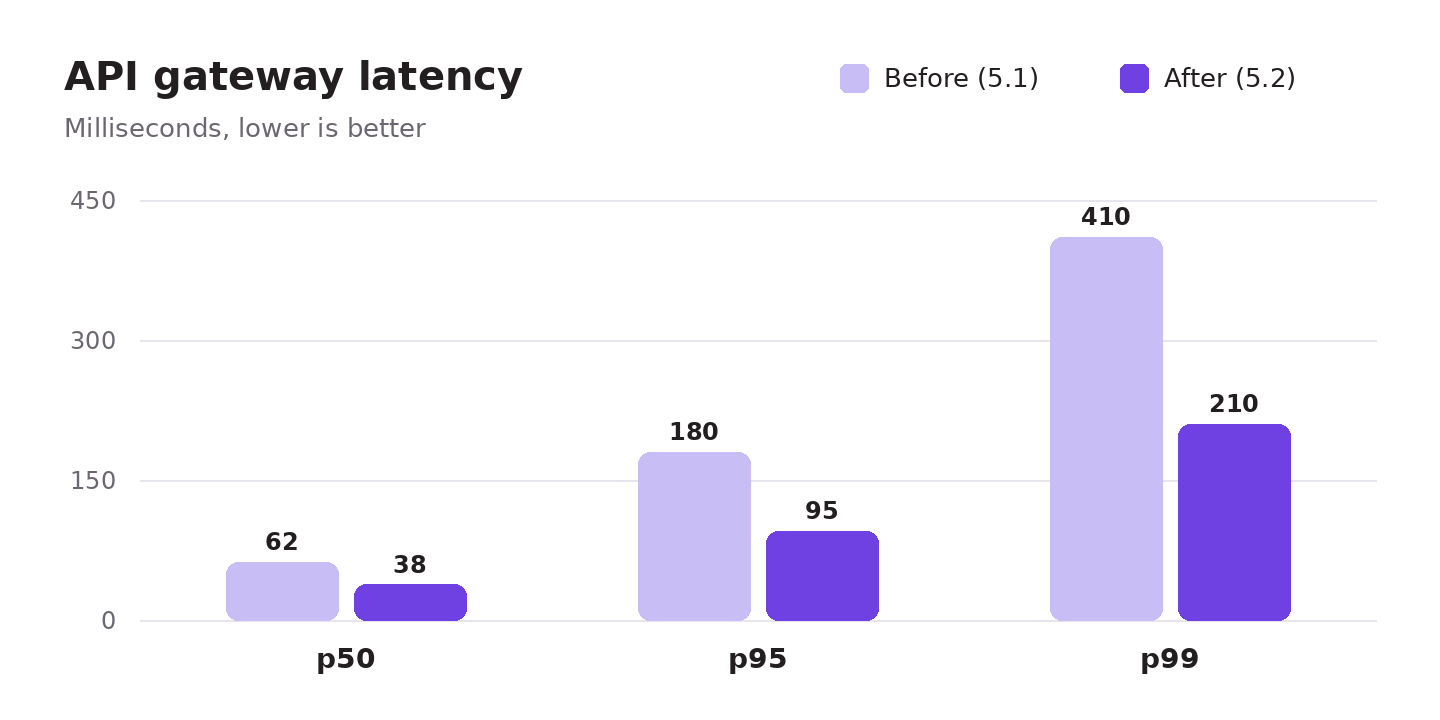
No API endpoints, request formats or responses have changed.
Changed
- Password reset emails now expire after 30 minutes instead of 24 hours.
Fixed
- Users invited to more than one workspace were sometimes sent to the wrong one after login.